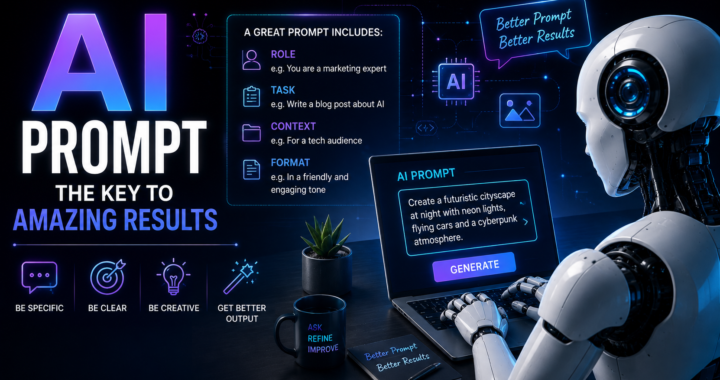
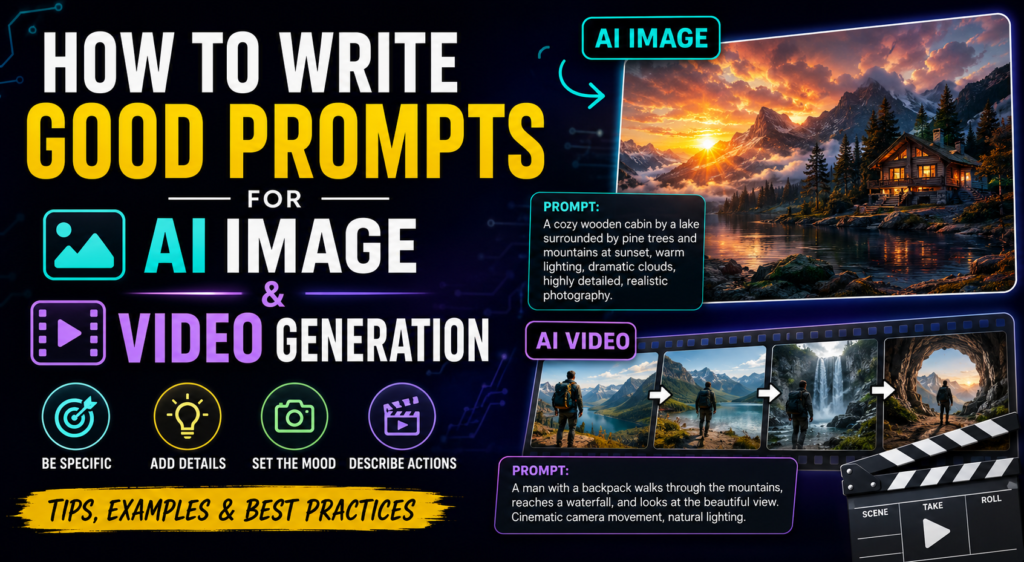
How to Write Good Prompts for AI Image and Video Generation
Artificial intelligence has fundamentally changed the way we create visual content. With the help of such tools as AI image and video generators, we can create realistic photos, animated scenes, advertisements, characters, and even whole films with only a few lines of text.
However, it is not always that easy. Sometimes, the results generated by AI can be significantly different from what you initially imagined. The reason for this may be the prompt. A prompt is a text instruction that tells the AI what you want it to generate. The better it is formulated, the more accurate the results will be.
In this article, we will discuss how to write good prompts for AI image and video generation with examples and tips for beginners.
What Is an AI Prompt?
An AI prompt is a text instruction or description that you give to an AI to generate the desired results.
An example of a prompt for image generation can be as simple as:
“A dog sitting in a park.”
However, this might not be enough for the AI to generate the image you want. A more descriptive prompt can look like this:
“A golden retriever sitting on the grass in a park. It is a calm summer day. The sky is covered with clouds. The grass is green and short. The dog has a calm and happy look on its face.”
This prompt provides much more information about the subject of the image (a dog), the environment (a park), the time of the year and day (summer, calm day), the appearance (a golden retriever with short green fur), and other factors.
It is important to note that not all prompts should be long. A good prompt should have enough information for the AI to understand what you want.
How to Write a Good Prompt for AI Image Generation
A good prompt for image generation usually has several elements:
Subject + Action/Pose + Environment + Appearance + Lighting + Camera/Style + Quality.
Some of these elements may be absent if you do not want them to be present in your image. However, this structure can serve as a good basis for writing your own prompts.
1. Describe the Subject
It is important to clearly define the subject you want to see in your image. For example:
“A young woman”
is a very simple description. You can make it more detailed, like:
“A young woman with long black hair wearing a white jacket.”
This way, the AI will have a better understanding of what you want to see in your image. If you are generating images of products, make sure to clearly describe the product you want to see:
“A modern black smartphone on a glass table.”
The subject should always be one of the main elements of your prompt.
2. Describe the Action or Pose
If your subject is performing certain actions or has a particular pose, make sure to describe them:
“A man walking through a rainy street.”
“A futuristic robot standing on the roof of a building and looking at the city.”
You can also describe the pose of a person in a portrait:
“A woman standing confidently and crossing her arms looking at the camera.”
3. Describe the Environment
The environment is another important element of your image:
“A car parked on a road.”
“A red sports car parked on a road surrounded by mountains covered in snow.”
You can describe the environment in detail to make the generated image more interesting:
“A city,” “a forest,” “a beach,” “a futuristic lab,” “a marketplace,” “a dark room,” “a desert,” or “a space station.”
4. Use Descriptive Words for Lighting
Lighting is one of the most important elements in photography and art in general. You can describe it with the following words:
Soft morning light, golden-hour sunlight, dramatic lighting, neon lights, cinematic lighting, moonlight, volumetric lighting, low-key lighting, and many others.
For example:
“A futuristic city at night with neon lights in blue and purple tones.”
The way lighting is rendered can make a huge difference in your image.
5. Describe the Visual Style of the Image
If you want your image to look realistic, you can describe the visual style with the following words:
Photorealistic, realistic, natural skin texture, and others.
If you want the image to look cinematic, you can add the following descriptions:
Cinematic composition, dramatic lighting, and a film-like look.
If you want an illustration, you can add the following descriptions:
Digital illustration, detailed artwork, and others.
You can also describe the atmosphere of the image with words such as:
A dark and mysterious atmosphere, a bright and cheerful atmosphere, or a sad and gloomy atmosphere.
The most important thing is to clearly define the look you want to see in your image.
How to Write Good Prompts for AI Video Generation
Video prompts are similar to image prompts, but they require more information since they are more complex. An image prompt usually describes what should be seen in one particular frame. A video prompt, on the other hand, should also describe the changes that should occur in the video.
For example, instead of writing:
“A man on a beach,”
you can write:
“A young man standing on a beach at sunset. He slowly walks towards the ocean while the wind is blowing his shirt and hair. The camera is following him from behind, creating a calm cinematic effect.”
This way, you will give the AI a good description of the subject, action, environment, and other elements. You can also describe the camera movement.
1. Describe the Movement
It is important to describe the movements of the subject in your video:
Walking, running, turning around, looking at the camera, opening doors, picking up objects, driving, dancing, flying, waving, and other actions.
For example:
“A woman slowly walking in a futuristic city while looking at the glowing buildings around her.”
This description is much better for a video than simply describing a woman and a city.
2. Describe the Camera Movement
You can also describe the camera movement to make your video more interesting:
Slow pan, tilt, dolly in, dolly out, or a tracking shot (a shot where the camera follows the subject).
For example:
“The camera is slowly panning towards an astronaut on the surface of Mars.”
“The camera is following the car from behind as it is driving through the city.”
3. Describe What Changes in the Video
A good video prompt should also describe what changes should occur in the video. For example:
“A small paper airplane is slowly flying towards an open window on the first floor of a house.”
This way, the AI will understand that it needs to show the changes that occur when the plane is flying towards the window. It is much better to describe the changes in one shot than to ask the AI to show several unrelated actions.
4. Keep the Actions in Your Prompt Simple
Sometimes, people tend to ask the AI to do too many things at once:
“A man is running, jumping over a car, fighting three robots, riding a motorcycle, entering a building, and flying into space.”
This is too much for one video. It is much better to split this prompt into several different prompts. Each prompt should describe one particular action:
Shot 1: A man is running through a futuristic street.
Shot 2: He jumps over a broken car.
Shot 3: He enters a futuristic building.
This way, the AI will have an easier time understanding what you want.
Use Specific Descriptions Instead of Generic Words
Another important tip for writing good prompts is to use specific descriptions instead of generic words. For example:
“A beautiful city.”
vs.
“A modern city at night with glass skyscrapers, bustling streets, glowing signs, and light rain.”
“A cool car.”
vs.
“A futuristic silver sports car with a powerful engine and a lot of aerodynamic details is driving through the neon-lit streets of a city at night.”
Specific descriptions will give the AI more information to work with.
Do Not Add Unnecessary Words
A common mistake beginners make when writing prompts is making them too complicated. Adding a lot of unnecessary words will not make the results any better. A good prompt should have only the information that the AI needs to know to generate the desired results. A good way to do that is to ask yourself the following question: What does the AI need to know?
For example, a good prompt can look like this:
“A realistic golden retriever is running through a green meadow at sunset. The sky is covered with clouds. The lighting is warm and natural. The image is captured with cinematic photography and a shallow depth of field.”
This prompt is not very long, but it clearly describes the subject, the environment, the time of the day, the appearance, the camera, and the style.
Use Negative Prompts When Possible
Some AI image/video generators allow you to use negative prompts. A negative prompt is a list of words or phrases the AI should avoid when generating your image/video. For example:
“Do not generate blurry details, distorted hands, extra fingers, unrealistic faces, and text.”
This way, you can tell the AI what you do not want to see in your results. Some generators respond to negative prompts better than others, so it is important to test them.
It is also important to note that different AI image/video generators understand prompts in a different way. One prompt may work great for one generator and poorly for another.
A Simple Prompt Formula
If you are a beginner and do not know where to start, you can use the following formula for writing prompts for AI image generation:
Subject + Action + Environment + Appearance + Lighting + Camera + Style.
For example:
“A young man wearing a black jacket is standing on the roof of a building overlooking a futuristic city at night. The city is filled with neon lights. The lighting in the image is cinematic. The photo is realistic with a shallow depth of field.”
A similar formula can be used for video prompts:
“A young man wearing a black jacket is standing on the roof of a building overlooking a futuristic city at night. The city is filled with neon lights. He slowly turns his head to look at the camera. The camera is slowly panning towards him. The image has a cinematic look with realistic lighting.”
You can use this formula as a starting point and then modify your prompts to make them more descriptive or simpler.
Test Your Prompts and Make Changes
A good prompt may not always give you the results you want. It is normal for your prompts to require modifications. Sometimes, the generated image/video can be too dark or too bright. Sometimes, the environment may not be accurate enough or the subject may not perform the required action. The good news is that you can always experiment and modify your prompts until you are satisfied with the results. Instead of making big changes, you can try changing one or two words and see how the results are affected.
Conclusion
As you can see, good prompting is not that difficult. It is all about clearly describing what you want to see in your image/video. For AI image generation, you need to describe the subject, the environment, the time of the day/year, the appearance, the camera, and the style. For AI video generation, you also need to describe the actions the subject should perform and the camera movement. It is also important to make your prompts specific and test them to see if they require modifications. The more you experiment with prompts, the more you will learn about how different generators respond to them.