
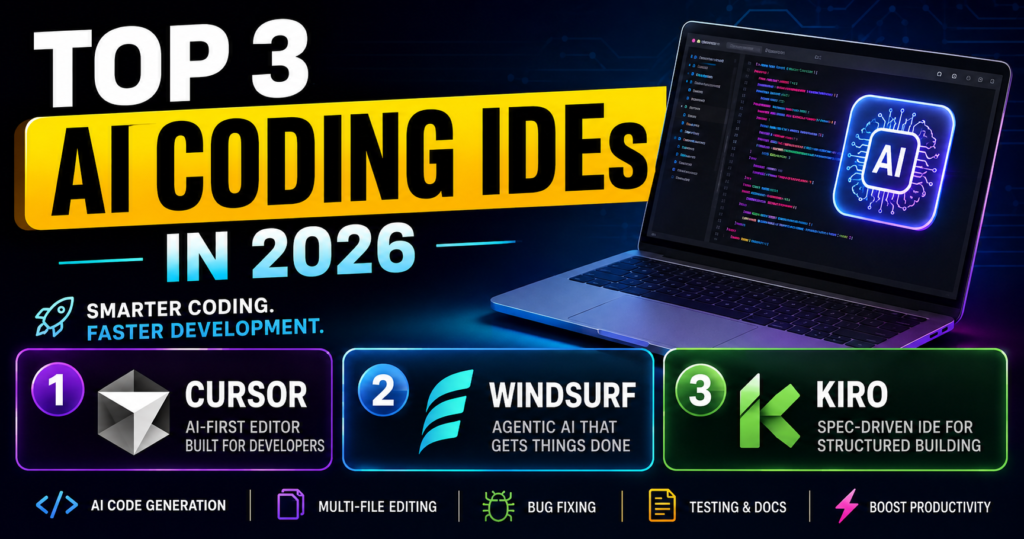
Top 3 AI Coding IDEs in 2026: The Best Tools for Smarter Programming
Artificial intelligence has changed the way software is developed. A few years ago, developers mainly used AI tools to generate small pieces of code or explain errors. Today, AI coding IDEs can understand an entire project, edit multiple files, find bugs, write tests, and even complete complex development tasks with much less manual work.
AI coding IDEs are becoming especially useful for beginners, professional developers, freelancers, and startup teams. Instead of constantly searching for solutions online, developers can describe what they want in natural language and let an AI assistant help with the implementation.
There are many AI-powered coding tools available today, but three names stand out in 2026: Cursor, Windsurf, and Kiro.
In this article, we will look at what makes each IDE different, its major features, advantages, limitations, and the type of developer who should consider using it.
What Is an AI Coding IDE?
Before looking at the top options, it is important to understand what an AI coding IDE actually is.
An IDE, or Integrated Development Environment, is software used to write, test, debug, and manage code. Traditional IDEs provide features such as syntax highlighting, debugging, extensions, terminal access, and code navigation.
An AI coding IDE adds artificial intelligence directly into this environment.
Instead of manually writing every function, a developer can give instructions such as:
“Create a login page with Google authentication and connect it to my existing backend.”
The AI can analyze the project and help create or modify the required files.
Modern AI IDEs can also perform tasks such as code generation, debugging, refactoring, project-wide changes, documentation, and testing. However, developers should still review AI-generated code because AI can make mistakes or introduce unnecessary complexity.
1. Cursor
Cursor is one of the most popular AI-first code editors available today. It is designed around AI-assisted programming rather than simply adding an AI chatbot to a traditional editor.
Cursor is based on the familiar Visual Studio Code environment, which makes it relatively easy for developers who already use VS Code to get started.
Key Features
One of Cursor’s biggest advantages is its ability to work with the context of a project. Instead of looking at only the current line or file, its AI features can work across multiple files and understand relationships within a codebase.
Developers can ask Cursor to explain existing code, make changes, create new functionality, refactor code, or help troubleshoot errors.
It is particularly useful for tasks such as:
- Generating new code
- Editing multiple files
- Understanding large codebases
- Finding and fixing bugs
- Refactoring existing code
- Writing documentation
- Creating tests
- Explaining unfamiliar code
Cursor also provides AI-powered code completion, allowing developers to accept suggestions while typing.
Why Developers Like Cursor
The biggest strength of Cursor is its combination of a familiar coding environment and powerful AI features. Developers do not have to completely change the way they work.
For example, if a developer wants to add a new feature to an existing application, they can explain the desired result and let the AI help identify which parts of the project need to change.
This makes Cursor especially useful for developers working on large applications where manually finding every related file can take considerable time.
Best For
Cursor is a strong choice for:
- Professional developers
- Full-stack developers
- Startup developers
- Developers working with large codebases
- People who want an AI-first VS Code-style experience
Overall, Cursor is arguably the best all-round choice for developers who want AI deeply integrated into everyday coding.
2. Windsurf
Windsurf is another major AI-powered development environment. It focuses heavily on an agent-style approach to programming, where the AI can help carry out multiple steps instead of simply suggesting individual lines of code.
One of the best-known features of Windsurf is Cascade, its AI assistant designed to work with the developer’s project and development workflow.
Key Features
Windsurf can help developers understand their codebase, make changes, generate code, and work through development tasks using natural-language instructions.
Instead of asking an AI to generate one function at a time, developers can describe a broader goal.
For example:
“Add a dark mode to the application and make sure the user’s preference is saved.”
The AI can then help identify the relevant parts of the application and make the required changes.
Windsurf is also designed to work with files, the terminal, and other parts of the development workflow.
Why Windsurf Is Different
Windsurf’s biggest attraction is its agentic workflow.
Traditional autocomplete tools mainly predict what you will type next. Agentic coding tools attempt to understand the goal behind a request and perform several related actions.
This can make development much faster when working on repetitive tasks or features involving multiple files.
However, developers should not blindly accept every change. AI agents can misunderstand requirements, modify the wrong files, or make assumptions that are technically valid but unsuitable for a particular project.
Best For
Windsurf can be a good choice for:
- Developers who want an agentic workflow
- People building web applications
- Developers who frequently make multi-file changes
- Beginners who want to describe tasks in natural language
- Developers looking for an alternative to Cursor
Windsurf is particularly interesting for people who want the AI to take a more active role in the development process rather than simply providing suggestions.
3. Kiro
Kiro takes a somewhat different approach from many AI coding tools. Instead of focusing only on generating code quickly, it emphasizes structured, spec-driven development.
Kiro is an agentic IDE developed by a team within AWS. It is built on familiar VS Code foundations and supports VS Code settings and Open VSX plugins.
What Makes Kiro Different?
The main idea behind Kiro is simple: developers should explain what they want to build before immediately asking AI to write the code.
Kiro can turn an idea into structured requirements, a design, and a task list. Agents can then use those specifications to implement the feature.
This approach can be useful for larger projects because jumping directly from a short prompt to code can sometimes produce software that does not fully match the original requirements.
For example, instead of simply saying:
“Build a shopping cart.”
A developer can work with Kiro to define what the shopping cart should do, how it should interact with the rest of the application, and what tasks need to be completed.
Important Kiro Features
Kiro includes several features designed around structured AI development:
Specs:
Help developers define requirements, design decisions, and implementation tasks before coding.
Hooks:
Allow event-driven automation. For example, an agent can perform tasks when a file is saved, such as updating documentation or generating tests.
Steering:
Developers can provide project-specific rules and context so that AI-generated work follows their preferred coding standards and workflow.
Agentic Chat:
Developers can communicate with the AI using natural language and ask it to perform development tasks.
MCP Support:
Kiro can connect agents with external tools and data through MCP servers.
Best For
Kiro is especially interesting for:
- Developers working on larger projects
- Teams that care about structured development
- Developers who want requirements and architecture documented
- People experimenting with agentic development
- Developers who want automation built into their workflow
Kiro may be less attractive if your main goal is simply to generate a few lines of code as quickly as possible. Its biggest advantage comes from its structured approach to larger development tasks.
Cursor vs Windsurf vs Kiro
Choosing between these three tools depends largely on how you prefer to work.
| Feature | Cursor | Windsurf | Kiro |
|---|---|---|---|
| AI code generation | Excellent | Excellent | Excellent |
| Multi-file editing | Strong | Strong | Strong |
| Agentic development | Strong | Strong | Very strong |
| Structured specifications | Limited focus | Limited focus | Major focus |
| Project context | Excellent | Excellent | Excellent |
| Automated workflows | Strong | Strong | Strong |
| Beginner friendly | Yes | Yes | Yes |
| Best strength | Overall AI coding | Agentic workflow | Spec-driven development |
There is no single AI IDE that is perfect for every developer.
Cursor is an excellent all-round choice if you want a powerful AI-first editor that fits naturally into everyday development.
Windsurf is a great option if you prefer an AI agent that can take a more active role in completing multi-step coding tasks.
Kiro stands out if you want to bring more planning, requirements, architecture, and automation into AI-assisted development.
Which AI Coding IDE Should You Choose?
If you are new to AI coding tools, Cursor is probably the easiest place to start. Its familiar editor experience and powerful AI features make it suitable for both beginners and experienced developers.
If you already understand coding and want an AI assistant that can handle larger multi-step tasks, Windsurf is worth trying.
If you are building a serious project and want AI-assisted development to follow a more structured engineering process, Kiro is particularly interesting.
The good news is that you do not necessarily have to choose only one. Developers can use different AI tools for different tasks. One tool might be better for everyday coding, while another may be more useful for planning, debugging, or large refactoring jobs.
Final Thoughts
AI coding IDEs are changing software development. They are moving beyond simple autocomplete and becoming active development partners that can understand projects, modify multiple files, run tasks, and help developers solve complex problems.
Cursor, Windsurf, and Kiro represent three strong approaches to this new generation of development tools.
The most important thing to remember is that AI should assist the developer, not replace the developer’s judgment. Generated code still needs to be reviewed, tested, and secured before it is used in a real application.
As AI coding technology continues to improve, the developers who learn how to give clear instructions, review AI-generated code, and combine AI capabilities with traditional programming knowledge will likely get the most value from these tools.
For now, if you want an all-round AI coding experience, start with Cursor. If you prefer a highly agentic workflow, explore Windsurf. And if structured, spec-driven development sounds more appealing, Kiro is one of the most interesting options to explore in 2026.