
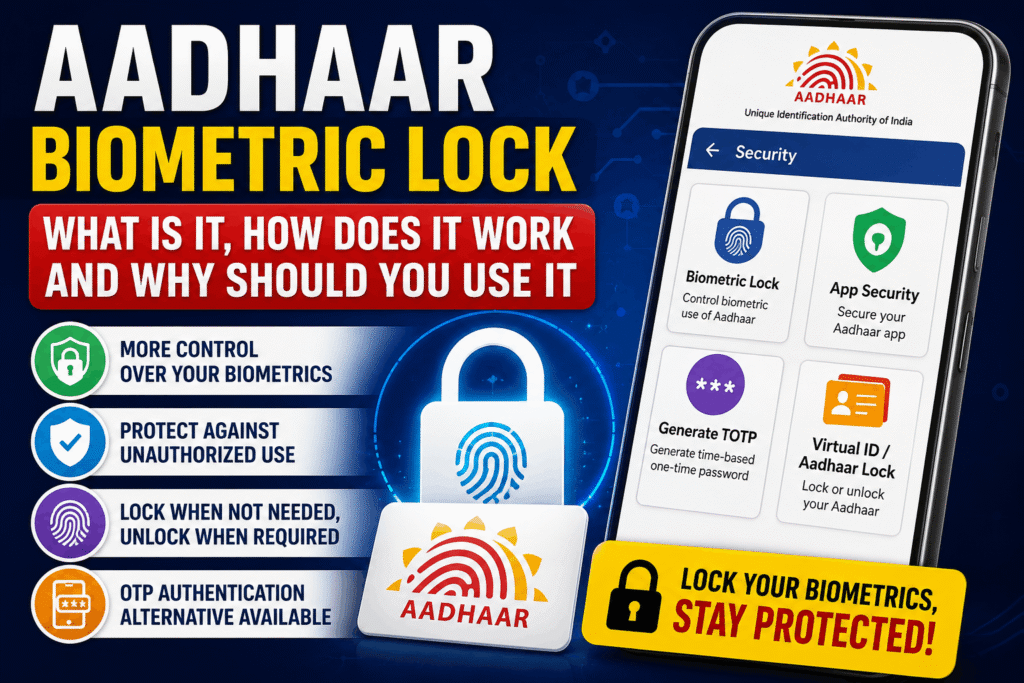
Aadhaar Biometric Lock: What Is It, How Does It Work And Why Should You Use It
Aadhaar plays a significant role in one of the most comprehensive verification and authentication systems in the country. And since it stores biometric data, securing this information becomes a top priority
Aadhaar App offers multiple security-centric features which include options like Biometric Lock, App Security, Generate TOTP, Virtual ID, and Aadhaar Lock. All features differ in terms of offered advantages and purposes
Among others, Aadhaar Biometric Lock allows a user to control the accessibility to one’s biometric data. And before going into further details regarding this mechanism, an individual must clearly comprehend its benefits and drawbacks.
What Is Aadhaar Biometric Lock
Aadhaar Biometric Lock represents a security measure that allows an Aadhaar cardholder to lock their biometric information. In general, biometric authentication refers to using fingerprints and face authentication to confirm the identity of an individual
When biometric status is ‘unlocked,’ a particular Aadhaar holder’s fingerprint and face scans can be processed in order to access services that require authentication via Aadhaar
However, when using the Biometric Lock option, biometric authentication becomes unavailable until the Aadhaar cardholder’s biometrics are unlocked. In other words, this particular App feature gives the user full control of when they want their biometric data to be accessible by others.
Aadhaar App Security
The security of one’s Aadhaar card is extremely important, which is why this verification system involves several relevant security measures. The latest updates of the Aadhaar App offer users the opportunity to enjoy the following security features
| Security Feature | Main Objective |
|---|---|
| Biometric Lock | Gives users full control over their biometric data accessibility |
| App Security | Helps secure the App |
| Generate TOTP | Lets users generate a time-based one-time-password (TOTP) |
| Virtual ID | Lets users create a virtual ID instead of using the actual one |
| Aadhaar Lock | Helps prevent unauthorized use of an Aadhaar number in specific cases |
Although all options are extremely important for enhancing the safety of the Aadhaar card, Biometric Lock primarily focuses on preventing unauthorized use of a user’s fingerprints and face scans.
How Aadhaar Biometric Authentication Works
Aadhaar biometric authentication refers to using biometric scanning to verify the identity of an Aadhaar cardholder. For instance, in order to use specific services which require biometric scanning, a user has to undergo a particular authentication procedure
However, if the individual’s Aadhaar biometrics are locked, biometric scanning cannot be used for authentication purposes
In other words, when a user’s Aadhaar status is ‘unlocked,’ their fingerprint and face scans can be processed to get access to multiple services that involve biometric scanning. However, when the Aadhaar status is ‘locked,’ a user will not be able to employ their fingerprints and face scans for authentication purposes unless they change their status to ‘unlocked.’
Below is a table which illustrates the difference between ‘unlocked’ and ‘locked’ Aadhaar biometric status:
| Aadhaar Status | Description |
|---|---|
| Unlocked | Allows the use of biometric scanning for authentication purposes |
| Locked | Prevents the use of biometric scanning for authentication purposes until the user changes the status to ‘unlocked’ |
In other words, the Biometric Lock option allows the user to have full control of when they want their biometric data to be accessible by others.
What Happens When You Lock Aadhaar Biometrics
When an individual chooses to ‘Lock’ their biometrics, their biometric scanning data becomes inaccessible. Essentially, when a user’s Aadhaar status is ‘Locked,’ their fingerprints and face scans cannot be processed for any kind of biometric scanning.
The main advantage of employing the ‘Lock’ option is that individuals who are less likely to use biometric scanning can avoid using their biometric data for authentication purposes by default
As long as the user keeps their Aadhaar status ‘Locked,’ they would not be able to use their fingerprints and face scans for any biometric scanning. However, this does not mean that the individual will not be able to enjoy the convenience of using biometric scanning whenever they need it.
The main purpose of this option is to allow users to have a higher level of control. If there is no urgent need to use biometric scanning, a user can keep their Aadhaar status ‘Locked.’
Why You Should Use Aadhaar Biometric Lock
The main reason why an individual should use Aadhaar Biometric Lock is that this option is ideal for giving the user additional control and protection. The security of a user’s biometric scanning data should never be at risk, which is why it is important to implement additional safety measures when dealing with biometric scanning.
By employing the ‘Lock’ option, a user can avoid biometric scanning when it is not necessary. The fundamental idea of this approach is that as long as an individual’s Aadhaar status is ‘unlocked,’ the person’s biometric scanning data can be processed without any restrictions
However, when the Aadhaar status is ‘locked,’ the user will not be able to unlock this status for biometric scanning purposes unless the person wants to do so.
The option to ‘Lock’ Aadhaar biometrics can be extremely beneficial in a variety of circumstances
For instance, the App allows a user to choose the following options:
The user’s approach to the use of the ‘Lock’ option should depend on their biometric scanning needs.
Protection Against Unauthorized Use Of Biometric Authentication
Another significant advantage of the Biometric Lock option is that it protects users against the unauthorized use of their biometric data. In today’s world, there are numerous online security threats such as online scams, identity theft, and unauthorized access to personal accounts.
That is why it is essential to ensure that personal data including biometric scanning data is protected. When an individual does not wish to use biometric scanning, the best choice is to keep their Aadhaar status ‘locked.’
The fundamental idea of the ‘Lock’ option is that as long as an individual’s Aadhaar status is ‘unlocked,’ the person’s biometric scanning data can be processed without any restrictions. On the other hand, when the status is ‘locked,’ biometric scanning data becomes inaccessible
This approach allows an individual to have complete control over their biometric scanning data.
Examples Of Using The Aadhaar Biometric Lock
If a person needs to use a service which requires biometric scanning, they will be able to effortlessly employ the newly-introduced update to use their Aadhaar cardholder benefits. An individual can choose to utilize the following approach when using the ‘Lock’ option:
| Steps | Description |
|---|---|
| Step 1 | Make sure that your Aadhaar status is ‘unlocked.’ |
| Step 2 | Unlock your biometrics to process your fingerprint and face scans. |
| Step 3 | Use your biometric scanning data for the specific biometric scanning service. |
| Step 4 | If necessary, re-lock your Aadhaar status to prevent unauthorized use. |
It is worth noting that the ‘Lock’ option can be implemented in order to get more control over the use of biometric scanning data.
Aadhaar Biometric Authentication Vs. OTP Authentication
Biometric scanning and OTP authentication are two different ways of identity verification. Below are the primary characteristics of these two identity verification methods.
| Biometric Scanning | OTP Authentication |
|---|---|
| Fingerprint scanning uses a person’s fingerprints to verify the identity of an individual | |
| Face scanning employs the use of face scans to verify the identity of an individual | |
| Time-based one-time-password (TOTP) uses a one-time-password which becomes invalid at a specific time | |
| One-time-password (OTP) makes use of a one-time-password to verify the identity of an individual |
If a user’s status is ‘locked,’ an individual can make use of an alternative method of identity verification. However, it is important to keep in mind that not every service provides alternative ways of identity verification
In general, a person cannot assume that an OTP will be applicable in any case where biometric scanning is required. It is entirely dependent on the service which the individual has chosen to use. Hence, when using the ‘Lock’ option, it is essential for an individual to double-check whether their choice of an authentication method is viable.
When Should You Keep Aadhaar Biometrics Locked
Aadhaar Biometric Lock can be implemented in a variety of situations in order to gain more control over the use of biometric scanning data. Below are the most common reasons why a user should consider locking their Aadhaar status:
When You Rarely Use Biometric Authentication
When a person rarely uses biometric scanning to get access to specific services, the best way to ensure that their biometric data is not misused is to keep their Aadhaar status ‘locked.’
They will only be able to use their biometric scanning data for authentication purposes when a specific service requires them to do so.
When You Want More Control
The main purpose of the ‘Lock’ option is to give users more control over the use of their biometric scanning data. The App allows individuals to decide whether they want their biometric scanning data to be accessible at all times or only when necessary.
When You Are Concerned About Security
Individuals who are concerned about the security of their biometric data can effortlessly enhance their safety by keeping their Aadhaar status ‘locked.’
With this option, a user’s biometric scanning data will only be accessible when the individual chooses to unlock it.
When You Use Biometrics Occasionally
When biometric scanning data is required from time to time, an individual can keep their Aadhaar status ‘locked’ and only unlock it when necessary.
Things To Remember Before Locking Biometrics
Before choosing to keep their Aadhaar status ‘locked,’ a user must remember a number of essential tips. Firstly, it is important to keep in mind that certain services require biometric scanning data for authentication purposes
This implies that if a user has intended to use such a service, their Aadhaar status must be ‘unlocked.’
Additionally, it is essential to make sure that all relevant verification options are available when necessary
Also, users should only rely on official Aadhaar services when managing the security features of their Aadhaar card. And finally, an individual should never share OTPs, TOTP, or any other relevant authentication tools with unauthorized individuals.
The ‘Lock’ option is only beneficial to those who fully comprehend how and when biometric scanning data should be used.
Is Aadhaar Biometric Lock Mandatory?
The ‘Lock’ option is not mandatory. Users who choose to keep their Aadhaar status ‘unlocked’ will not be forced to alter this setting. The choice depends on the individual preferences of the user. For instance, an individual who often uses biometric scanning data to gain access to a wide range of services will be less likely to benefit from the ‘Lock’ option.
At the same time, the individuals who seldom use biometric scanning data to get access to services will find this option to be extremely advantageous. The choice ultimately depends on how often the user utilizes biometric scanning services.
The Bottom-Line
Aadhaar Biometric Lock represents a convenient method of giving users more control over the use of their biometric scanning data. In general, the ‘Lock’ option can be a great solution for individuals who want to ensure that their biometric scanning data is only used when necessary.
The App allows a user to keep their biometric scanning data accessible by default or only when it is needed. When an individual’s biometrics are unlocked, face and fingerprint scans can be processed to get access to the relevant services.
On the other hand, when a user’s biometrics are locked, face and fingerprint scans cannot be used for biometric scanning purposes until the individuals change their status to ‘unlocked.’